When a cloud service slows down or fails, the first question is almost always “what changed?” Finding that answer is usually the slowest part of fixing the problem, whether it is a routine incident or a full cloud disaster recovery event.
This is not a rare edge case. Google’s Site Reliability Engineering (SRE) team, the engineers who keep its services running, has found that roughly 70% of outages are caused by changes to a live system, such as a new configuration or feature launch.
The time it takes to recover is called MTTR (mean time to recovery), the average time from the start of an incident to full restoration of service. Teams that reduce mean time to recovery do it by finding the cause faster, not by fixing faster. This guide shows how to reduce MTTR in cloud incident management using change tracking, anomaly detection, and AI-generated summaries, and why people should still make the key production decisions.
What Is MTTR and Why Does It Matter to the Business?
MTTR measures how long your customers, staff, or revenue are affected when something breaks. A lower MTTR means shorter outages and less disruption.
The basic formula is:
MTTR = total downtime ÷ number of incidents
For example, if a team had five incidents in a month with a combined 450 minutes of downtime, its MTTR is 90 minutes. (These numbers are illustrative.)
Many teams also track incident response time, which is how quickly someone starts working on an alert. Response time is one input to MTTR, while MTTR covers the full path to restored service.
For leadership, MTTR links directly to business outcomes:
- Revenue: Downtime can stop sales or transactions.
- Customer trust: Repeated or lengthy outages push customers to competitors.
- Cost: Engineers pulled into long investigations are not building products.
- Compliance: Regulators and auditors expect you to explain what happened and who was responsible.
The costs are significant. In Uptime Institute’s 2026 outage analysis, 57% of respondents said their most recent major outage cost more than $100,000, and one in five reported a cost above $1 million.
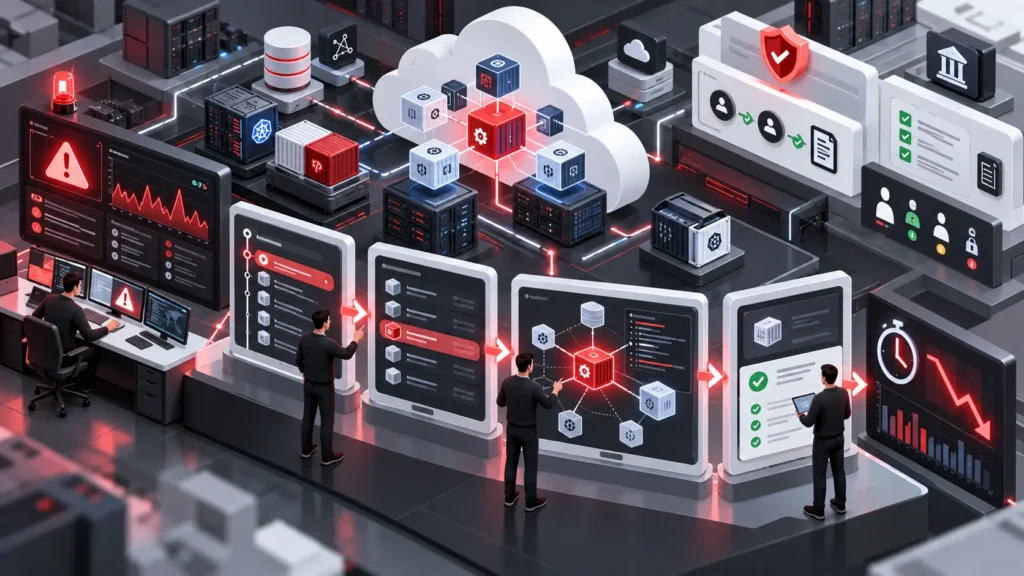
MTTR is best understood in four stages: detect the problem, diagnose the cause, fix it, and document it. Diagnosis is usually where most of the time goes.
Why Is It Hard to Find the Cause of a Cloud Incident?
Cloud environments change constantly, and the records of those changes are scattered. The root cause, the underlying reason an incident happened, is often a recent change that nobody connected to the symptoms.
A change in a multi-cloud setup (one that uses several providers, such as AWS, Azure, and Google Cloud) can come from many sources:
- An engineer working in a cloud console
- A deployment pipeline that releases code automatically
- An automation script or scheduled job
- An AI agent, a software program that takes actions on someone’s behalf
Each source logs activity in a different place. During an incident, engineers piece these records together by hand. Some changes also skip review entirely, which makes them harder to spot.
Process gaps make this worse. Uptime Institute’s 2025 outage analysis found that 85% of human error-related outages stem from staff not following procedures or from flaws in the procedures themselves.
What Three Questions Help Teams Resolve Incidents Faster?
Teams resolve incidents faster when they can answer three questions quickly: what changed, who or what changed it, and when. Together they turn a broad search into a short list of suspects.
What changed?
This covers configuration edits, permission updates, scaling changes, and new deployments. A single view of recent changes saves engineers from reconstructing the list from memory and logs.
Who or what made the change?
The answer may be a person, a pipeline, or an AI agent. Knowing the source tells engineers whom to ask and where to look. This matters more as AI agents act directly in production.
When did it happen?
An exact timeline lets engineers match symptoms to causes. If error rates rose twelve minutes after a configuration change, that change becomes the first thing to check.
How Does Cloud Change Tracking and Attribution Reduce MTTR?
Change tracking records every modification to your cloud environment, and attribution links each change to the person, automation, or AI agent behind it. Together they remove the manual detective work from diagnosis.
A log entry saying a security setting was modified is just a data point. An entry saying it was modified by a specific automation job at a specific time, without review, is a lead.
Attribution also creates an audit trail, a permanent record of who did what and when. It makes postmortems (reviews held after an incident) accurate instead of reconstructed.
The goal is context, not blame. Teams learn from incidents without finger-pointing.
How Does Anomaly Detection Help Find Root Causes?
Anomaly detection automatically flags behavior that differs from normal, such as an unusual traffic spike, a sudden cost jump, or odd access patterns. It shows something is different, but not why.
On its own, anomaly detection can create noise. The value comes from linking each anomaly to recent changes, which is what makes cloud root cause analysis faster. A spike that follows an unreviewed configuration change is a much stronger signal than the spike alone.
Anomalies are hints, not verdicts, so engineers still need to confirm them.
How Do AI-Generated Incident Summaries Save Time?
AI-generated incident summaries gather the key facts of an incident into a short, readable overview. They save time that engineers would otherwise spend writing updates and handoff notes.
A useful summary includes:
- The impact and affected services
- The suspected change and its source
- A timeline of related events
- Which findings are confirmed and which are only suspected
Good summaries show their evidence and flag uncertainty. They speed up orientation but do not replace human judgment.
Why Should Humans Stay Involved in Production Decisions?
People should approve high-impact production decisions because those decisions carry business and security risk. AI and automation can suggest causes and fixes, but accountable owners should decide.
Actions that deserve human review include:
- Rolling back a release
- Changing user access or permissions
- Altering production capacity or spending
This is where AI cloud governance matters: clear rules about what AI agents may change on their own and what needs a person’s approval.
A decision queue supports this. It is a list of unexpected or ungoverned changes that a named person reviews and resolves. This keeps oversight in place without slowing teams down, and builds trust in automation because every decision has an owner and a record.
How Does Governance Context Connect to Cost and Compliance?
Cloud governance is the set of rules, ownership, and review processes that keep cloud use controlled and accountable. The same change records that speed up incident response also support cost control and compliance, and cloud governance tools make those records available without extra manual work.
- Cost (FinOps): FinOps is the practice of managing cloud spending. Flexera’s 2026 State of the Cloud Report found organizations estimate 29% of infrastructure and platform spend is wasted, the first increase in five years. Many cost spikes trace back to one unreviewed change, which attribution can reveal quickly.
- Compliance and risk: An attributed audit trail helps show regulators and auditors that changes are controlled.
- Security: Unreviewed permission or network changes are early warning signs worth investigating.
The table below shows how governance context changes each stage of an incident.
| Incident stage | Without governance context | With governance context |
| Detect | Alerts arrive with little explanation | Anomalies are linked to recent changes |
| Diagnose | Engineers search several tools by hand | Changes, sources, and timing are in one view |
| Decide | Unclear who owns the fix | Named owners review changes in a decision queue |
| Document | Postmortem is rebuilt from memory | A complete audit trail already exists |
What Does a Faster Incident Look Like in Practice?
In a well-prepared team, the cause is visible within minutes, not hours. Here is a typical sequence.
- An alert fires for rising error rates.
- The anomaly is already linked to a configuration change made less than an hour earlier.
- Attribution shows an automation job made the change, and it skipped review.
- An AI-generated summary lays out the timeline and impact.
- The on-call engineer confirms the cause and approves a rollback.
- The decision and its owner are recorded for the postmortem.
Diagnosis that might take an hour of cross-checking now takes minutes. For context, DORA, Google’s long-running DevOps research program, found that elite teams restore service after a failed deployment in under an hour, while low performers can take far longer.
5 Ways to Reduce MTTR in Cloud Incidents
You do not need to replace your incident tools to reduce MTTR. These five steps add the missing context.
- Centralize change records from every cloud and tool into one view.
- Label each change’s source as human, automation, or AI agent.
- Define which changes need review, and make unreviewed ones visible.
- Measure MTTR by stage (detect, diagnose, fix, document) to see where time is lost.
- Feed incident lessons back into your governance rules.
Where Does CloudEva.ai Fit?
Incident, monitoring, and on-call tools work best with good context. For cloud incident management, CloudEva.ai supplies that context as a cloud governance and decision intelligence platform. It connects with existing monitoring and security tools, tracks cloud changes, attributes them to human operators, AI agents, and automation, and provides AI-assisted summaries and a decision queue for reviewing ungoverned changes.
It sits alongside your current tooling rather than replacing it. To see how this works in your environment, book a CloudEva.ai demo. You can also read more on cloud governance and cloud cost management from CloudEva.ai.
Key Takeaways
- Most MTTR is lost in diagnosis, not repair.
- Knowing what changed, who or what changed it, and when speeds up root cause analysis.
- Anomaly detection is most useful when linked to changes.
- AI summaries save time, but humans should approve high-impact production decisions.
- The same governance context supports cost control, compliance, and security.
Frequently Asked Questions
How do you reduce MTTR in the cloud?+
Reduce MTTR by shortening diagnosis, which is where most incident time is lost. Track every change, attribute it to a person, automation, or AI agent, link anomalies to recent changes, and keep humans in charge of high-impact decisions such as rollbacks.
What does MTTR stand for?+
MTTR most commonly stands for mean time to recovery, the average time it takes to restore service after an incident. It can also mean mean time to repair, resolve, or respond, so agree on one definition first. DORA now calls the deployment-related version "failed deployment recovery time.
How do you calculate MTTR?+
Divide total downtime by the number of incidents in the same period. Five incidents with 450 minutes of combined downtime give an MTTR of 90 minutes.
What is a good MTTR for cloud services?+
There is no single benchmark, because a good MTTR depends on your industry, systems, and customer expectations. A better goal is a steady downward trend, tracked by stage so you can see where time is lost.